do the assignment first. reading the answer is not the same as doing it, and u will feel like u learned it when u didn’t.
back to the chapter · see it running
▶ open the solution in the playground
the folder, after task 5:
my-page/
├── index.html
├── css/
│   └── styles.css
└── youtube/
    └── thumbnail/
        └── thumbnail-1.webp
index.html:
<!DOCTYPE html>
<html>
  <head>
    <meta charset="UTF-8">
    <title>Chapter 5</title>                                    <!-- 2 -->

    <!-- 10 -->
    <link rel="preconnect" href="https://fonts.googleapis.com">
    <link rel="preconnect" href="https://fonts.gstatic.com" crossorigin>
    <link rel="stylesheet"
      href="https://fonts.googleapis.com/css2?family=Roboto:wght@400;500&display=swap">

    <link rel="stylesheet" href="css/styles.css">               <!-- 3 and 5 -->
  </head>
  <body>
    <p>my page, with the css in another folder</p>
    <button class="subscribe-button">SUBSCRIBE</button>

    <!-- 6, 8, 9, 11 -->
    <img class="thumbnail" src="thumbnails/thumbnail-1.webp" alt="a video thumbnail">
  </body>
</html>css/styles.css:
body {
  font-family: Roboto, Arial;   /* 10 */
}

.subscribe-button {
  background-color: red;
  color: white;
  height: 36px;
  width: 130px;
  border: none;
  border-radius: 2px;
  cursor: pointer;
}

.thumbnail {
  width: 300px;      /* 7 */
  height: 300px;     /* 8 */
  object-fit: cover; /* 9 */
}
output:
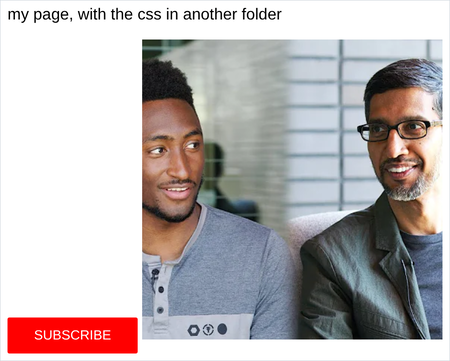
output of 7, width only, height left alone:

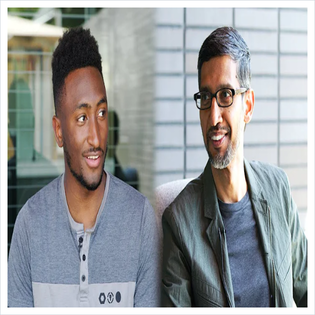
output of 8, both set, before u fix it:
output of 11, with the src broken:
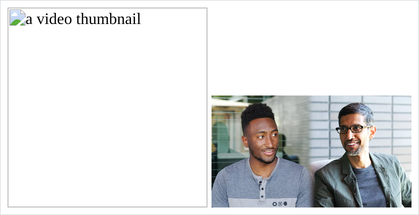
- in 4, the page still loads and every single style is gone. no error, no warning, no
message anywhere on the page. a wrong path to a stylesheet is completely silent, and
that is why the
<img>in section 3 is worth remembering: at least an image leaves a visible hole. - in 5 the path becomes
css/styles.css, not/css/styles.cssand not./css/styles.css. all 3 can work, but the plain one is the one to learn first. - in 7, u set the width and the height changed by itself, from 404 down to about 168. the browser keeps the shape as long as u only tell it one of the two.
- in 9,
coveris the one to ship.containleaves white bars, which is fine for a logo and wrong for a thumbnail. - if ur button ended up sitting at the bottom next to the image instead of the top, that is not a mistake. images and buttons both sit on the text baseline. it is note 5, and chapter 7 is where u get the tool to stop it.
- if ur font did not change in 10, check that u pasted the
<link>into the<head>and spelledRobotowith the capital R. and check ur internet, because unlike everything else in this course that one is a download.