do the assignment first. reading the answer is not the same as doing it, and u will feel like u learned it when u didn’t.
back to the chapter · see it running
▶ open the solution in the playground
/* styles.css */

/* 3, and 7 for the stretch */
.bar {
  position: fixed;
  top: 0;
  left: 0;
  right: 0;
  height: 44px;
  z-index: 10;
}

/* 6 */
.side {
  position: fixed;
  top: 65px;
  bottom: 0;
  left: 0;
  width: 70px;
}

/* 7 */
.corner {
  position: fixed;
  top: 75px;
  right: 10px;
}

/* 4: the room the fixed bar does not make for itself */
.content {
  padding-top: 65px;
  padding-left: 90px;
}

/* 8 */
.nudged {
  position: relative;
  top: 10px;
  left: 40px;
}

/* 9 */
.card {
  position: relative;
  width: 240px;
  height: 110px;
}
.badge {
  position: absolute;
  bottom: 6px;
  right: 6px;
}

/* 11 */
.a { position: absolute; z-index: 2; }
.b { position: absolute; z-index: 1; }
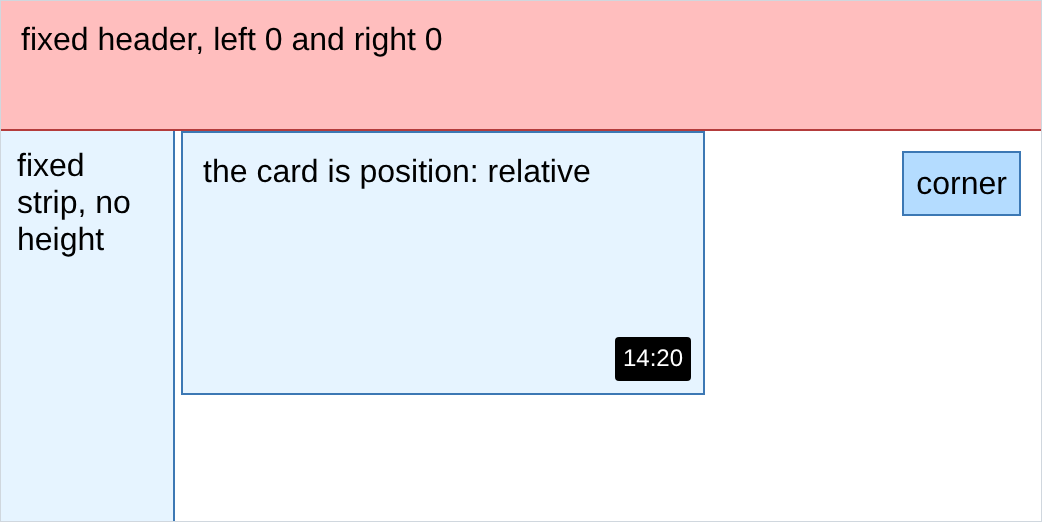
output, all of it on one page:
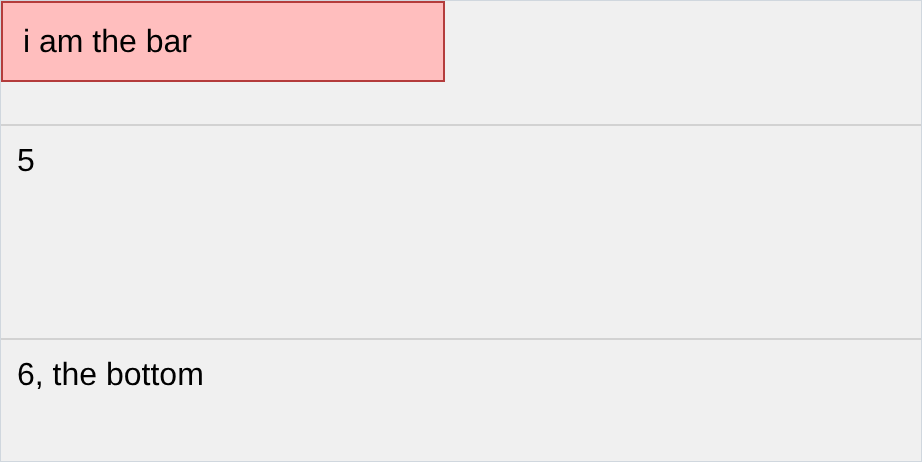
output of 3, scrolled to the bottom:
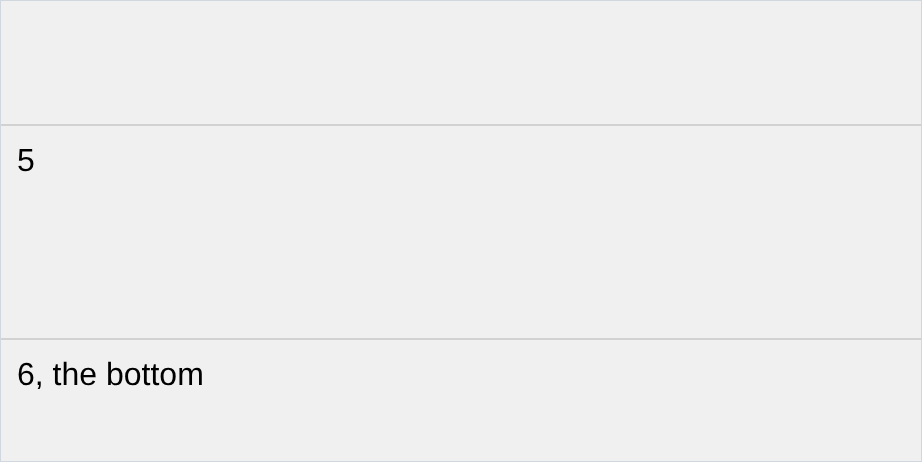
output of 5, the same page with absolute instead:
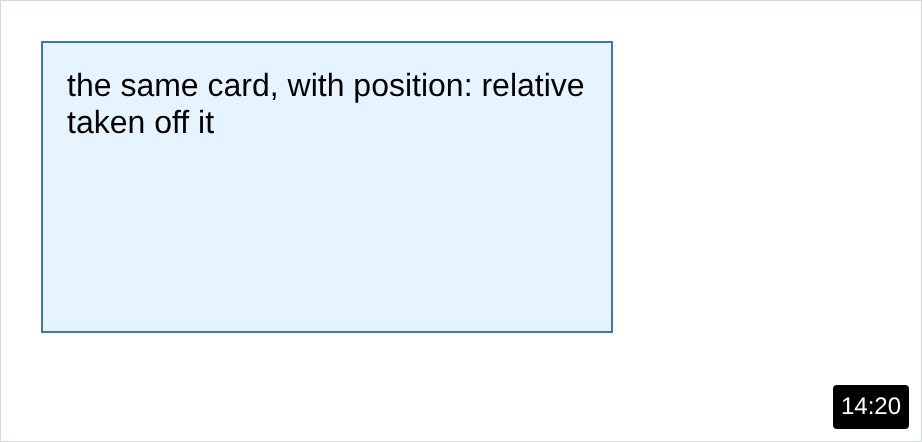
output of 10:
- in 2, nothing happened.
topdoes nothing on aposition: staticelement, and static is what everything is until u say otherwise. that is the whole reason thepositionproperty exists: it turns the other 4 on. - in 4, the text went behind the bar. a fixed element is out of the flow, so the page does
not know it is there and does not leave a gap for it. u leave the gap urself, which is the
padding-top: 65pxabove. - in 5, fixed stays with the window and absolute stays with the page. u cannot tell them apart at the top of a page, only after u scroll, which is why so many people use the wrong one.
- in 6, the strip has no
heightline anywhere and it still reaches the bottom, becausetopandbottomare both set. pinning 2 opposite sides is a way of sizing something. - in 10, the badge went to the bottom right of the page, and it looks like the badge broke.
the badge is fine. an absolute element measures from its nearest positioned ancestor, and
with
position: relativegone the card is not one any more, so the page took over. - in 11, both ways work.
z-indexis explicit and survives someone reordering ur html. reordering is free and needs no css. if neither works, check that both elements have aposition, becausez-indexis ignored on a static element.