do the assignment first. reading the answer is not the same as doing it, and u will feel like u learned it when u didn’t.
back to the chapter · see it running
▶ open the solution in the playground
# 1
mkdir html-test
cd html-test
<!-- 1: index.html, no tags at all -->
hello, this is my first page
<!-- 2 -->
<p>hello, this is my first page</p>
<button>Hello</button>
<!-- 3 -->
<p>the same sentence</p>
<p>the same sentence</p>
<p>
the
same
sentence
</p>
<!-- 4: the second </p> is missing on purpose -->
<p>the first paragraph
<p>the second paragraph</p>
<!-- 5 -->
<a href="https://youtube.com">Link to YouTube</a>
<!-- 6 -->
<a href="https://youtube.com" target="_blank">Link to YouTube, new tab</a>
<!-- 7 -->
<p>go to <a href="https://youtube.com">youtube</a> and then come back</p>
<!-- 8 -->
<a>Link to YouTube</a>output of 2, 5, 6 and 7 on one page:
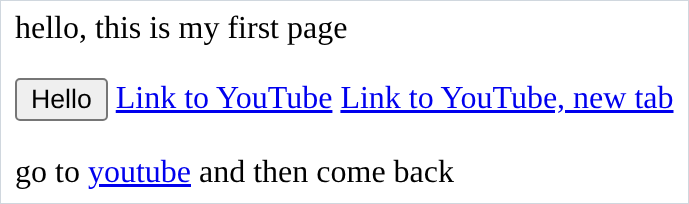
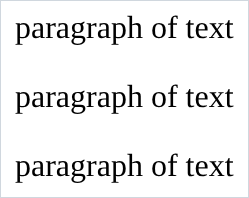
output of 3, all 3 identical:
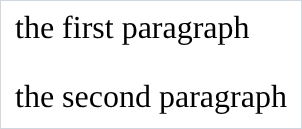
output of 4, two normal paragraphs:
output of 8, an <a> with no href:

- in 3, the answer is that all 3 render identically. spaces, tabs and newlines collapse into one space, so the only way to change the spacing on a page is css.
- in 4, the browser drew both paragraphs correctly and said nothing. it saw the
second
<p>open and closed the first one for u. the lesson is not “u can skip closing tags”, it is “u will not be told when u get it wrong”. - in 8, u get plain black text that is not clickable and not underlined.
<a>is only what the element is.hrefis what makes it go somewhere, and the blue underline is the browser’s way of saying it has one. - in 6, the page looks identical to 5. the only way to know
target="_blank"worked is to click it. attributes change behaviour, and behaviour does not always show up in a screenshot. - if ur button and ur links ended up on the same line, that is correct and it is not
something u did.
<p>takes a whole line,<button>and<a>do not. chapter 7 is where that stops being a mystery and gets a name.